
We’re excited to introduce new Text Overlay functionality that lets users create and customize on-screen text directly in the Socialive Editor. Whether you’re adding agendas, stats, disclaimers, announcements, or speaker callouts, you can now build polished visual elements directly in the platform.
Text overlay is now available in Socialive
Add and customize on-screen text directly in the editor. Overlay agendas, speaker callouts, stats, disclaimers, and announcements on your video with full control over placement and styling.
Overview
With Text Overlays, users can create elements natively within the Socialive Editor, making production workflows faster and more flexible.
Key Benefits
Create text-based graphics directly inside your production workflow
Reduce dependency on external design tools
Quickly update on-screen messaging in real time
Add flexibility to live and recorded content creation
Maintain a more streamlined creative process
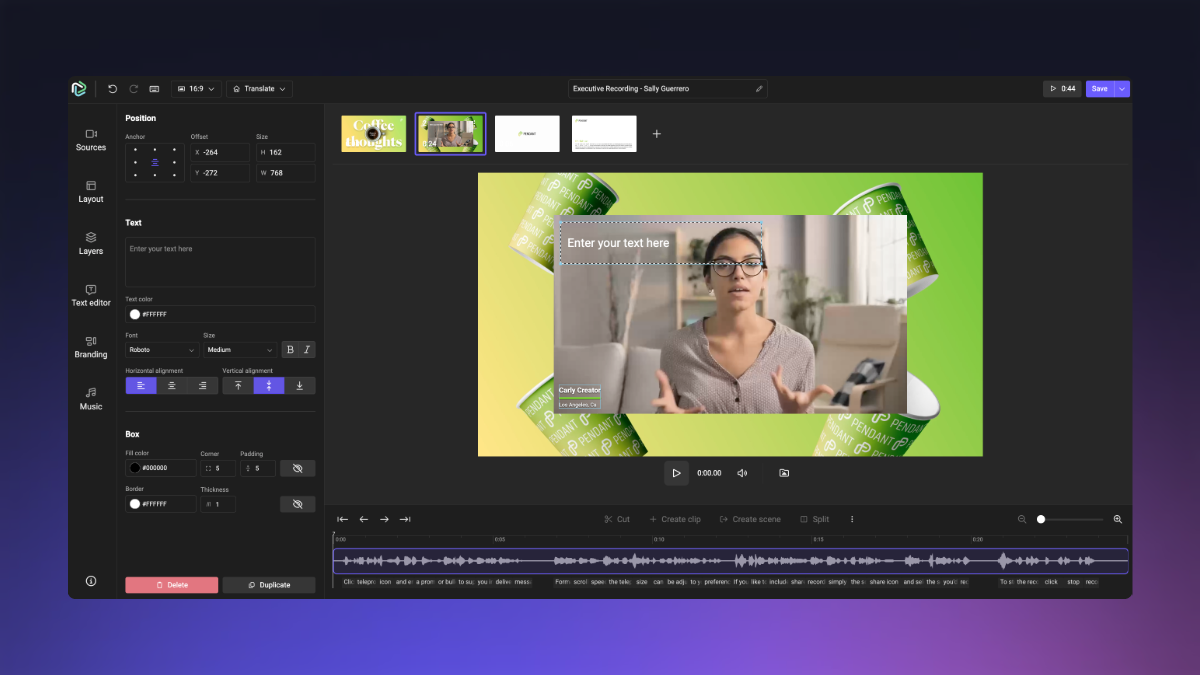
How it Works
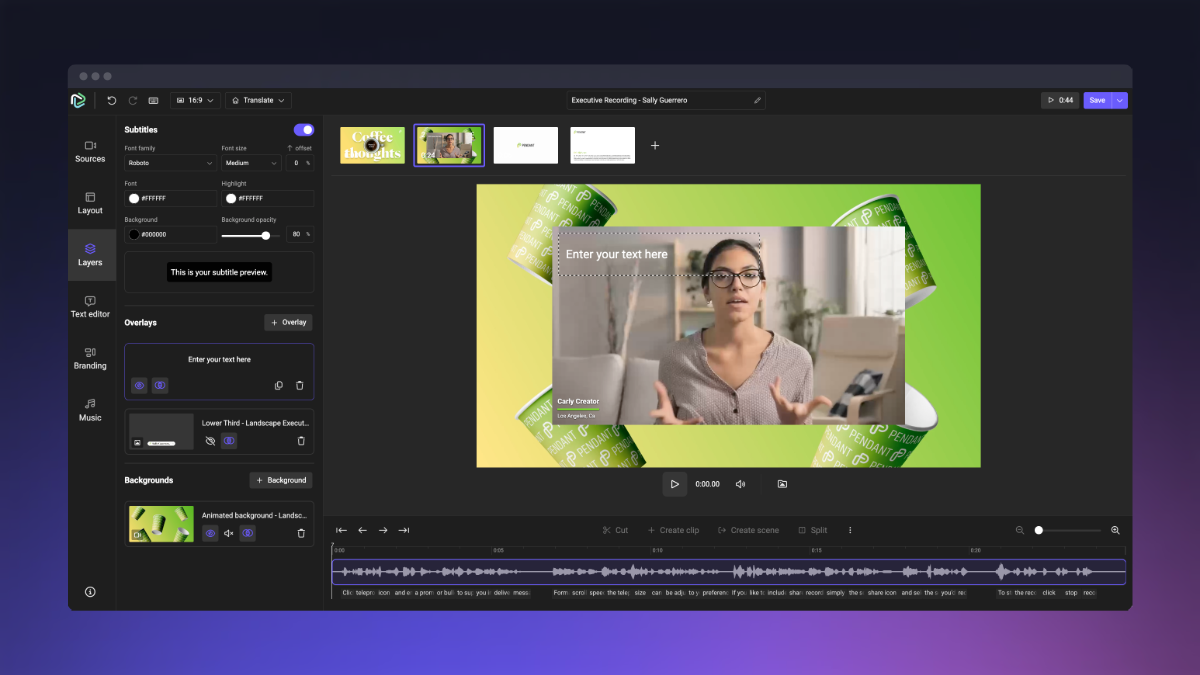
Open the Layers tab and Select Overlay
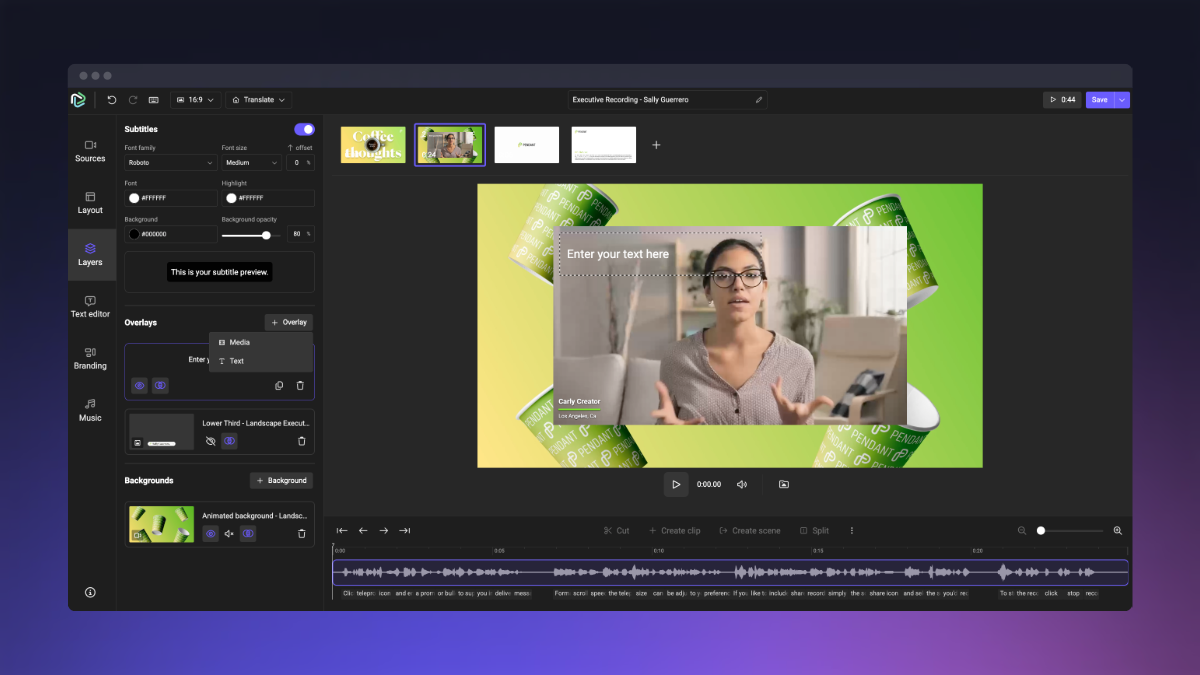
Select Text
Edit Overlay
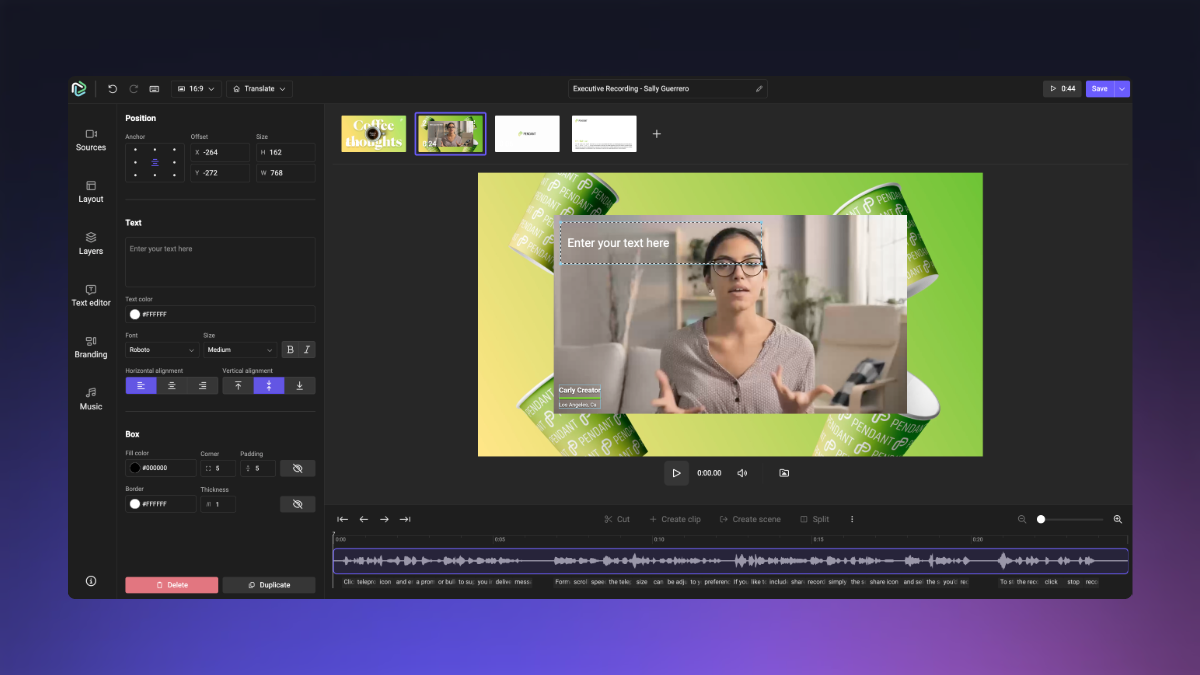
Once added, text boxes can be fully customized within the platform.
Customization Options
Drag and drop text boxes anywhere on screen
Resize text elements
Bold and center text
Add fill colors
Add borders with adjustable thickness
Round corners for a more polished look
This makes it easy to create everything from lower-thirds and announcements to simple branded layouts directly within a project.
Additional Details
The new Text Overlay feature is especially useful for:
Live agendas
Key statistics and highlights
Compliance or legal disclaimers
Speaker identifiers
Session summaries
Call-to-action messaging
Because overlays can be adjusted directly within the platform, teams can make updates quickly without needing to recreate graphics externally.
Still, looking for an answer?
Contact Socialive Support via live chat, email at support@socialive.us, or submit a support ticket.