
Super Res (Super Resolution) is a feature that enhances the quality of your video or image. It makes your content sharper, clearer, and more presentable on higher-resolution screens, even if the original was low-quality. Super Res enhancements are most noticeable on larger screens, where added detail and clarity really stand out.
Super Res always creates a much larger video file than the original, so keep your final display destination in mind when choosing to apply this transformation. As with all the AISuite transformations, the original video is always preserved.
The best practice recommendation for applying Super Res is to do all of your editing and branding work first, including applying other AISuite transformations to your source material, and when you are happy with the final output, apply the Super Res transformation if you need it for a large-format destination display.
How it helps:
Allows footage to be displayed at higher resolutions than the original recording
Supports this display without sacrificing detail, or introducing pixelation or other visual noise or imperfections
Use Super Res to make your content look its best, no matter the original quality.
This article will review the steps to Super Res to your videos.
Go to the Library, select the video you want to apply Super Res to, and open it.
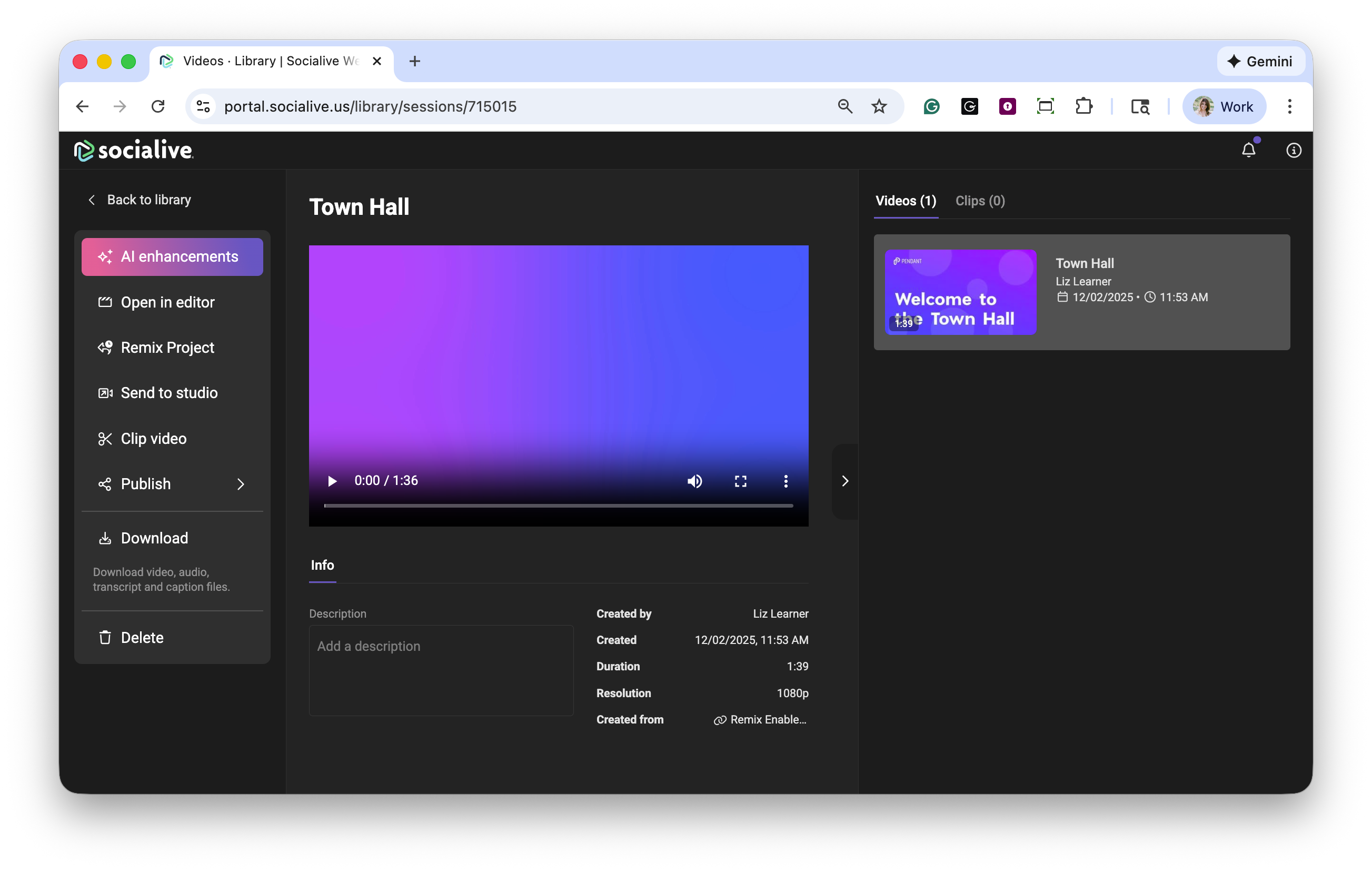
From here, view the current resolution and select the target resolution from the dropdown.
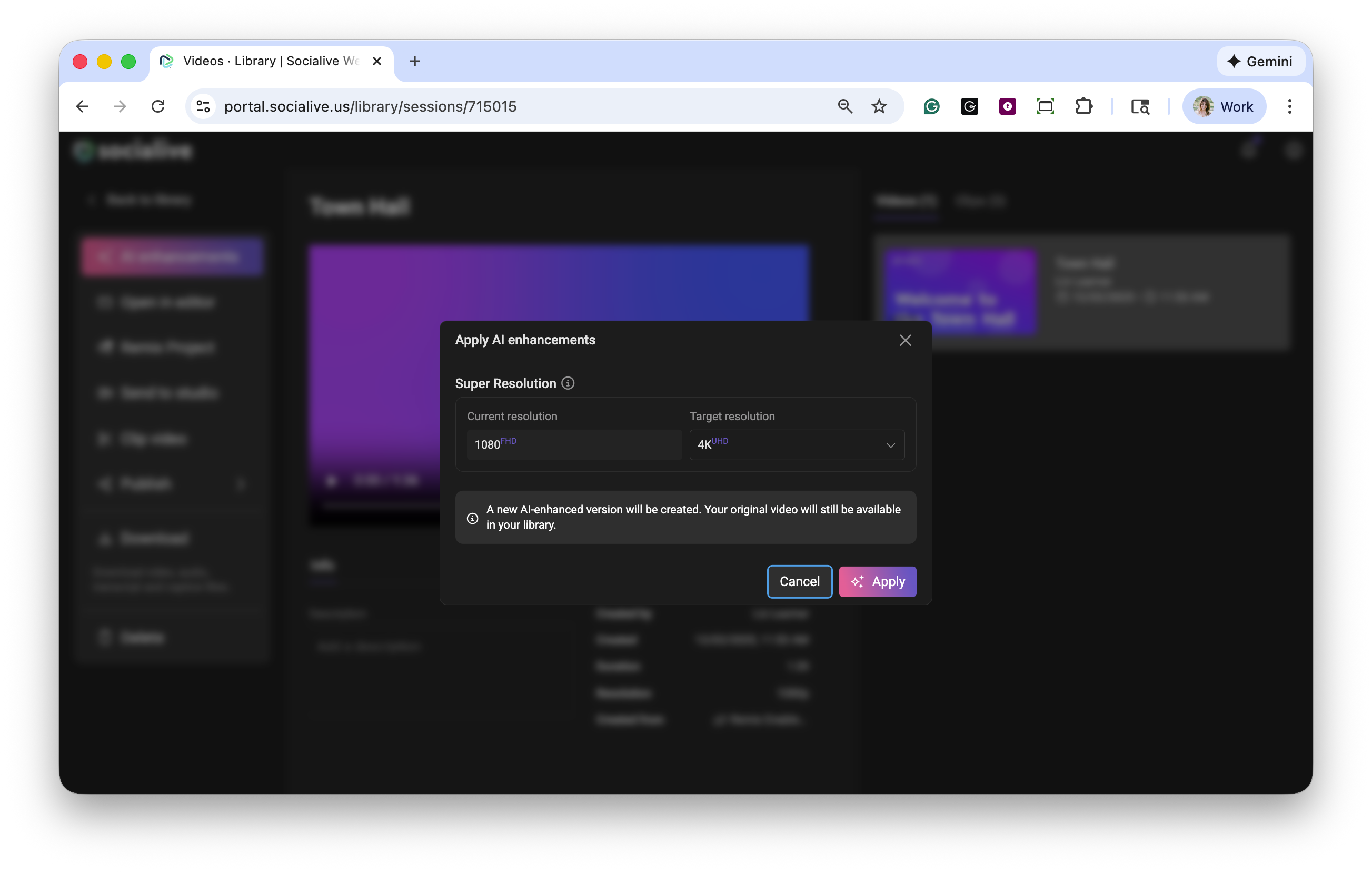
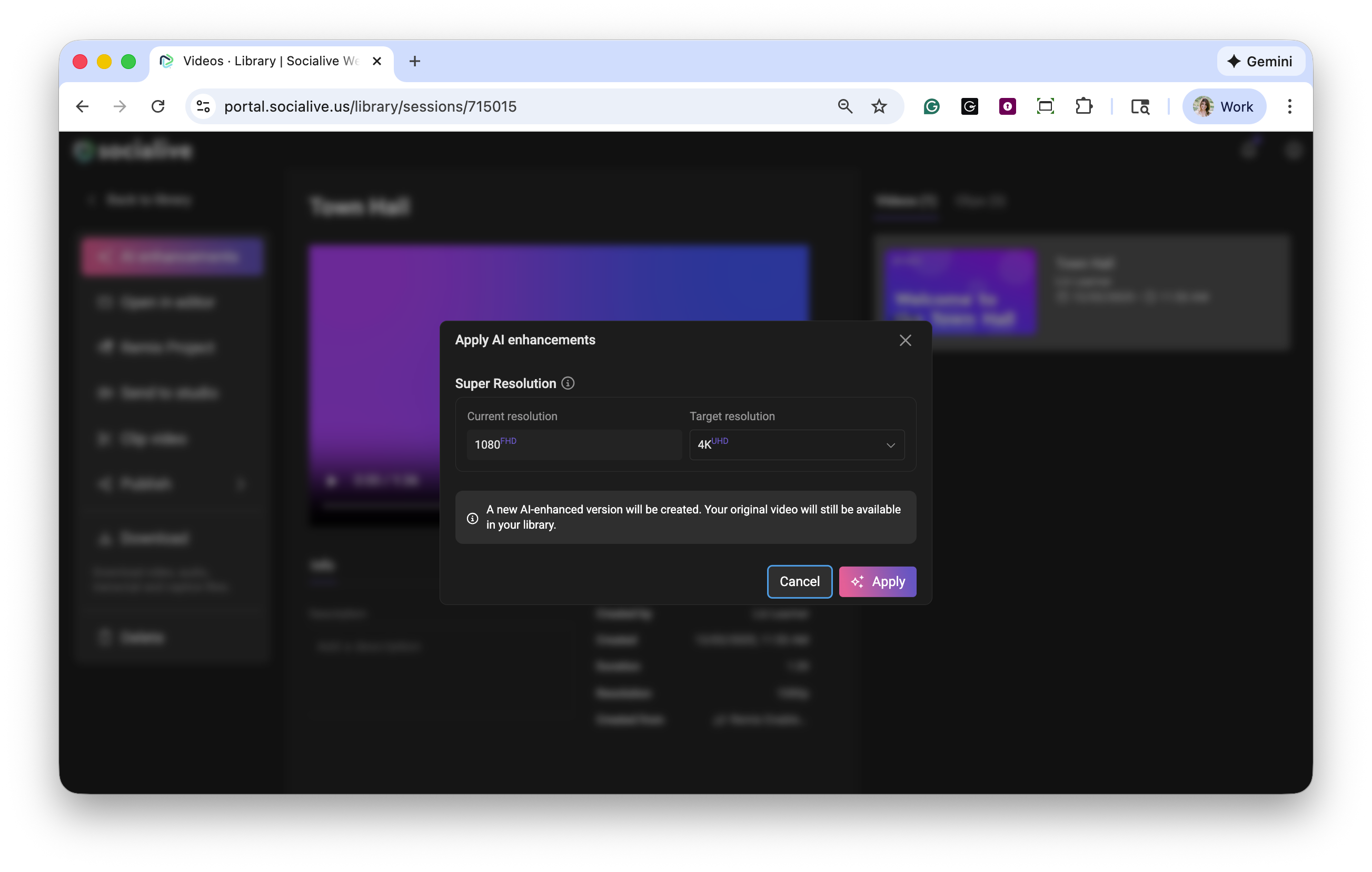
Click Apply. Processing times may vary.
Once Super Res has been applied to the video, the AI icon will display as being in use in the Library.
Benefits of Super Res
Professional Quality - Gives your footage a polished, high-quality appearance.
Enhanced Viewer Experience - See the full detail and clarity of your content on bigger screens for a more professional, polished look.
Super Res is another way the AISuite helps you elevate your video content, making it easier to deliver high-quality experiences that resonate with your audience. Contact your CSM or Account Manager to discuss how you can have AISuite enabled in your account.
Still, looking for an answer?
Contact Socialive Support via live chat, email at support@socialive.us, or submit a support ticket.