
AISuite includes several AI-powered enhancements that can dramatically improve the quality of your videos. To achieve the best results, it's important to understand when each enhancement should be used and where in your workflow it should be applied.
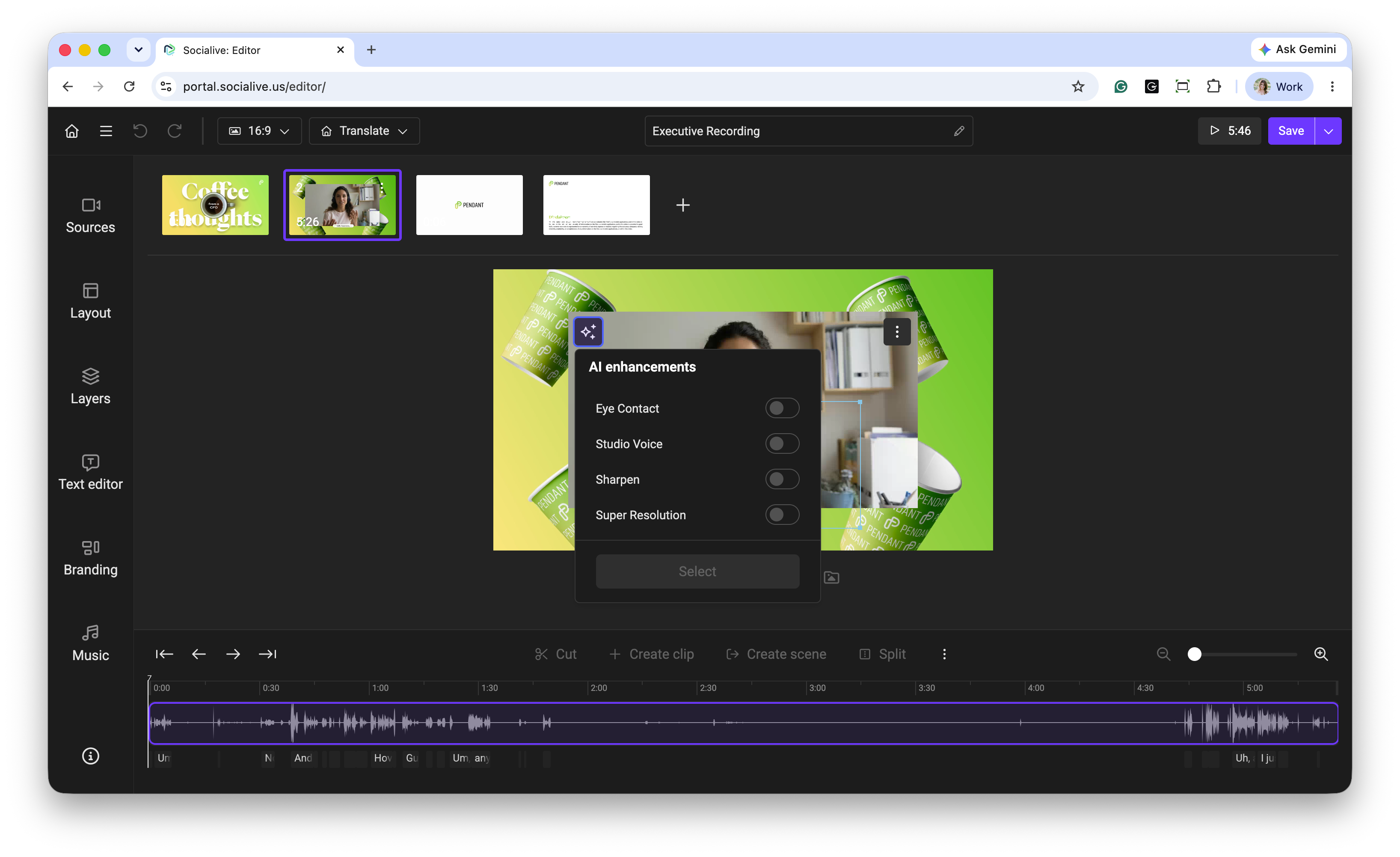
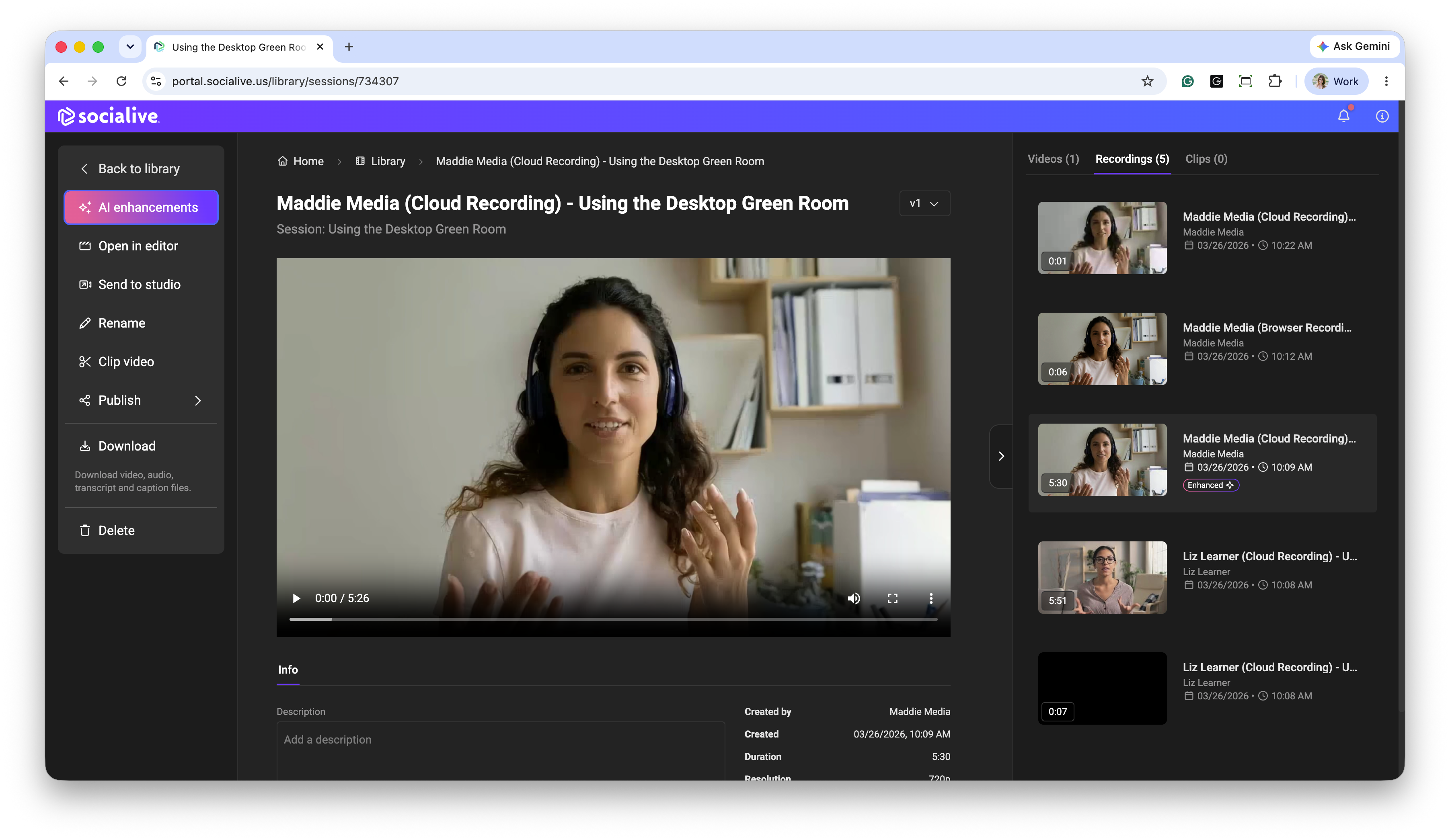
AI enhancements can be applied from the Socialive Editor or the Library. This article reviews Socialive AI enhancements and best practices for applying them in Socialive, when and how.
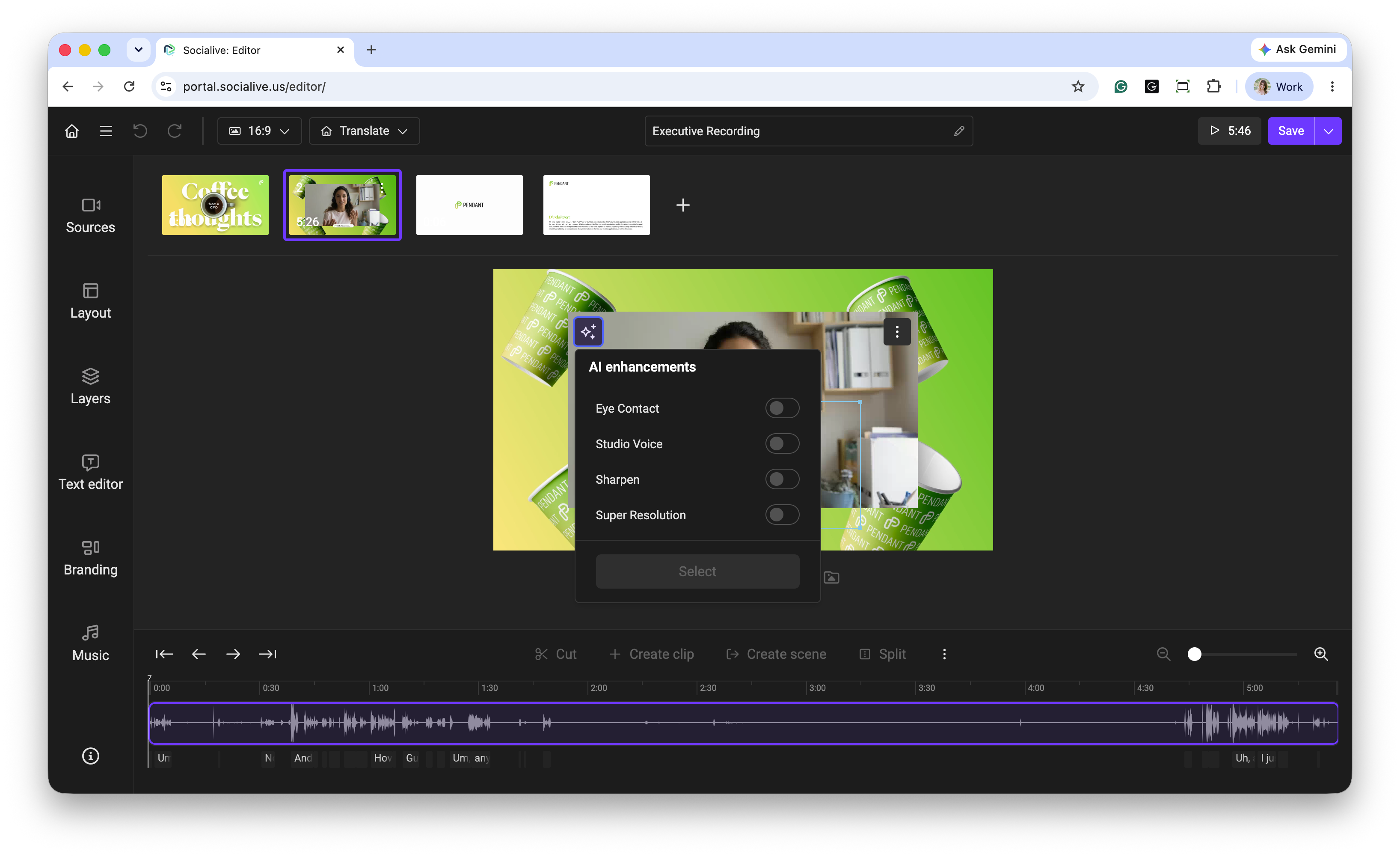
Eye Contact
Eye Contact adjusts a speaker's gaze to appear to look directly into the camera, resulting in a more engaging and polished presentation.
Eye Contact works best when:
Your video features a single speaker
The speaker is generally facing the camera
The speaker maintains a relatively unobstructed view of their face
If your recording includes multiple speakers or the primary speaker rarely faces the camera, you may choose not to apply this enhancement.
When to Apply
Apply Eye Contact in the Socialive Editor before exporting your video.
Studio Voice
Studio Voice enhances spoken audio by reducing background noise and improving voice clarity, resulting in a more professional, studio-quality sound.
Studio Voice works best when:
Your video features a single speaker
The recording contains clear, consistent speech
Background noise is obvious
The speaker's voice is the primary audio source
If your recording includes multiple speakers speaking simultaneously, significant background music, or heavy ambient noise, you may choose not to apply this enhancement or choose the lowest setting.
When to Apply
Apply Studio Voice in the Socialive Editor before exporting your video.
Super Resolution
Super Resolution uses AI to increase the resolution and quality of your finished video.
Super Resolution works best:
Keep your final viewing destination in mind when deciding whether to use Super Resolution. It is particularly beneficial for videos that will be displayed on larger screens or where higher visual quality is important.
Results depend on the quality of the original recording. While Super Resolution can significantly improve many videos, recordings with severe quality issues may see more subtle improvements.
When to Apply
Apply Super Resolution to your final exported video in the Library after all editing is complete.
If you're working within a Project, first:
Complete all edits in the Editor
Export the finished video
Open the final video in the Library
Apply Super Resolution to the final video in the Library
Applying Super Resolution to the final exported video ensures the enhancement is applied to the finished video rather than to individual clips.
Using Sharpen
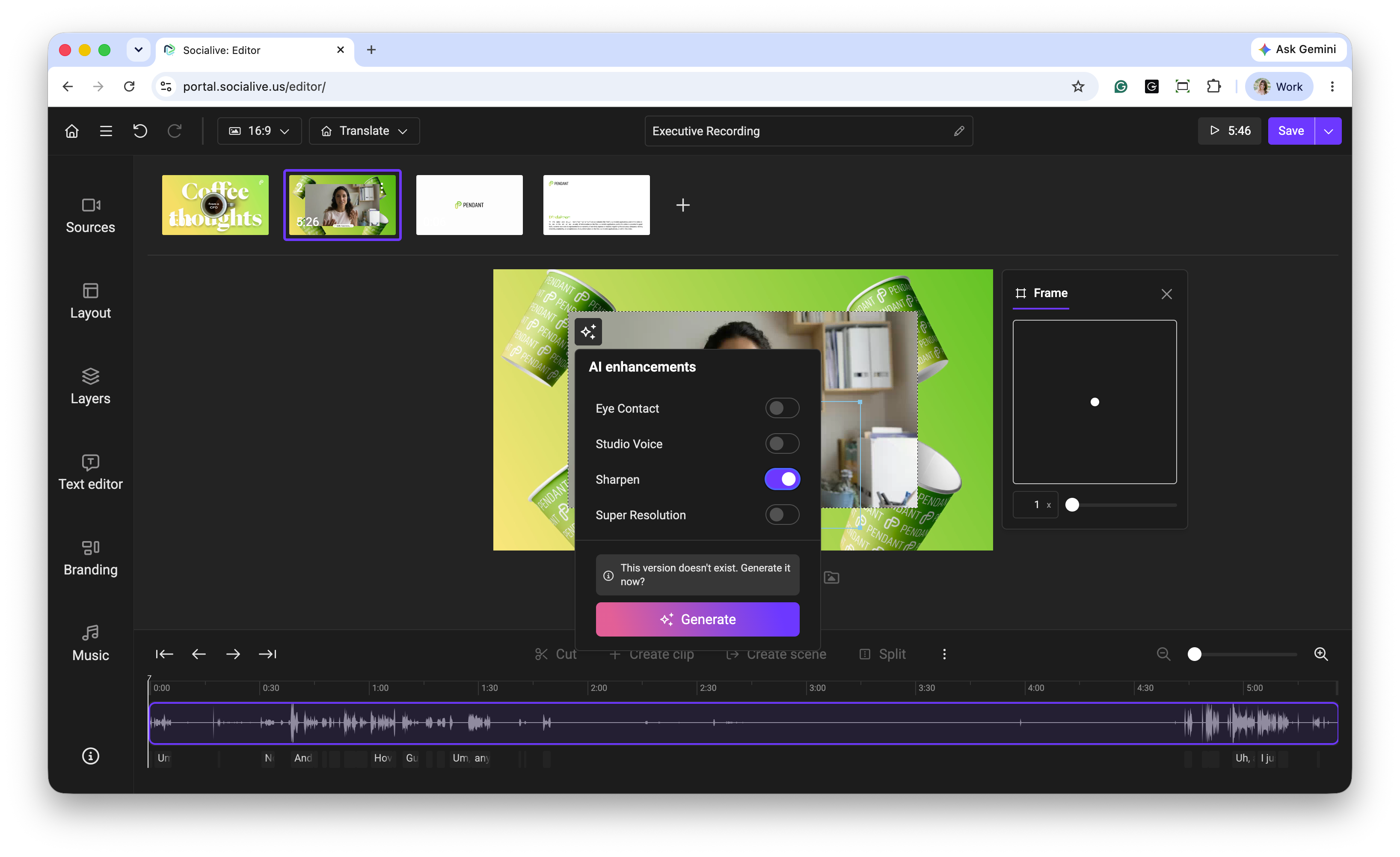
For videos that would benefit from improved visual quality, we recommend using Sharpen.
A recommended workflow is:
Complete your edits in the Editor
Apply Sharpen if additional image clarity is desired
Export the finished video
Download or publish
This helps produce the clearest, highest-quality final output while ensuring that enhancements are applied at the optimal stages of the workflow.
Note: AI enhancements can significantly improve video quality, but results will vary based on the quality of the original recording. Videos with good lighting, clear focus, and higher resolution source footage will typically see the greatest improvements.
Still, looking for an answer?
Contact Socialive Support via live chat, email at support@socialive.us, or submit a support ticket.