
With translated subtitles, teams can quickly generate multilingual versions of their video content, enabling viewers to engage with the material in their preferred language. This is especially valuable for organizations creating training content, internal communications, marketing videos, or customer education resources for international audiences.
By providing translated versions of your videos, you can improve accessibility, support compliance requirements in multilingual environments, and ensure your message resonates with viewers around the world.
Using Translated Subtitles
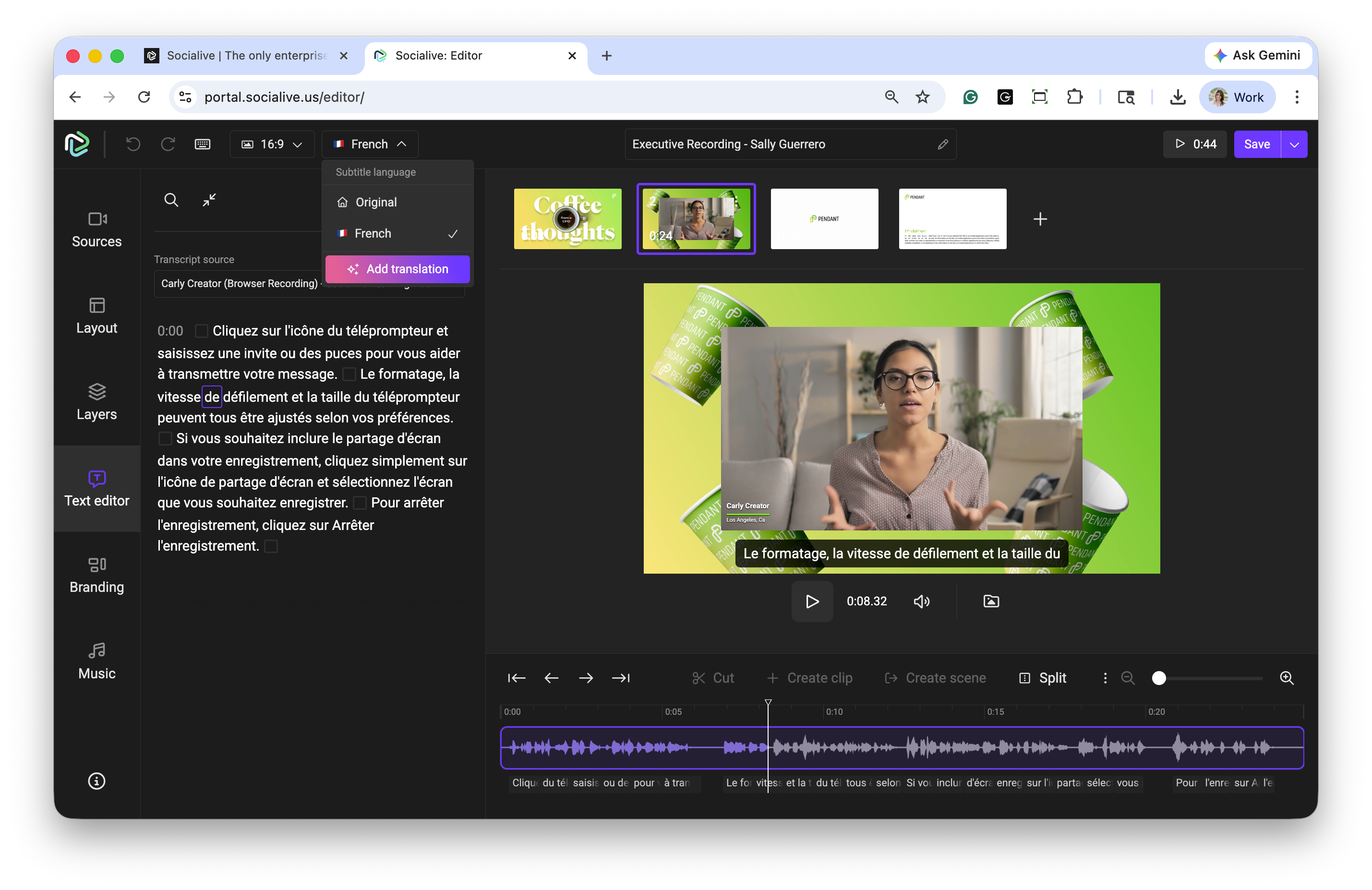
Click Translate.
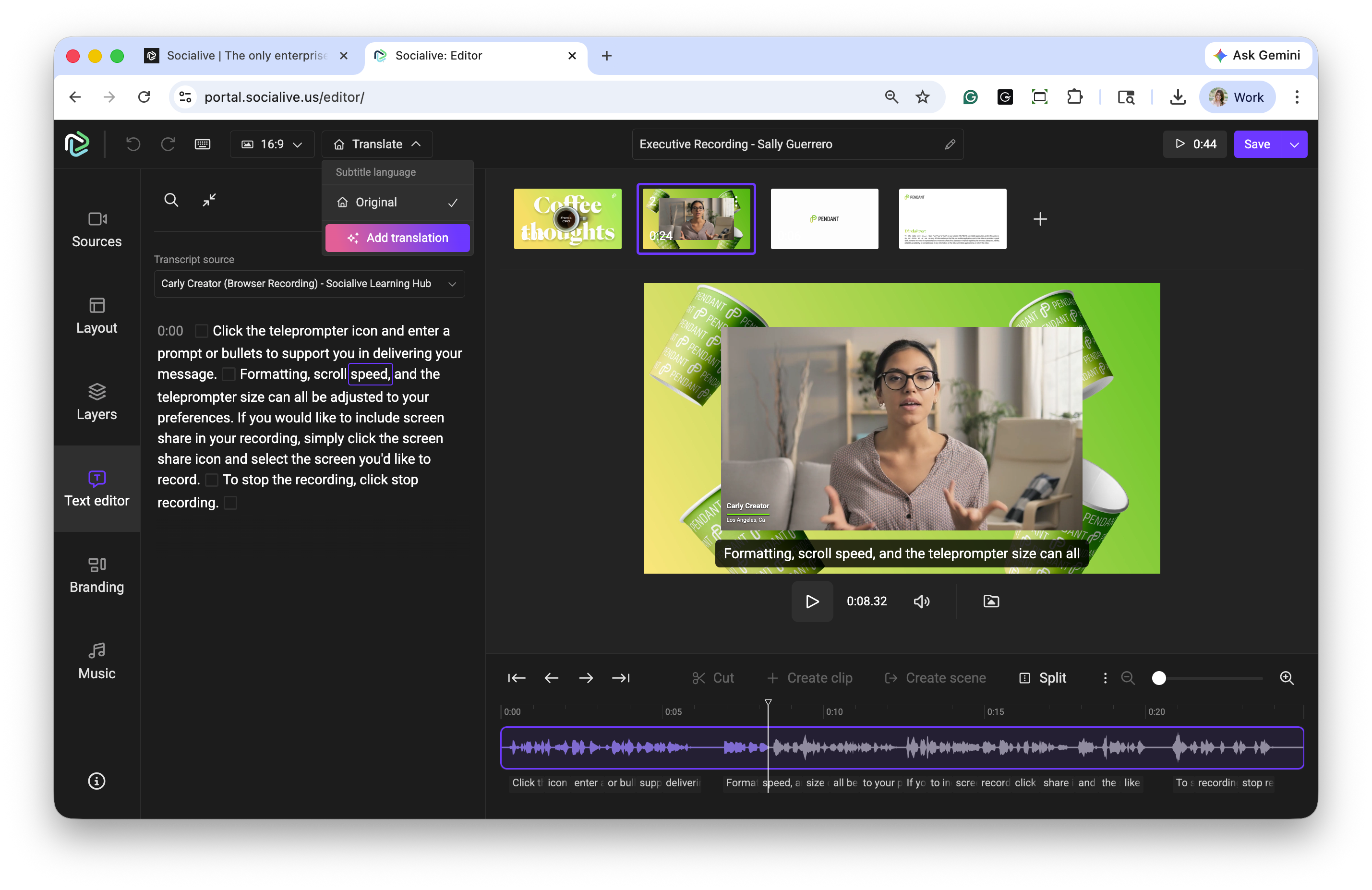
Select Add translation.
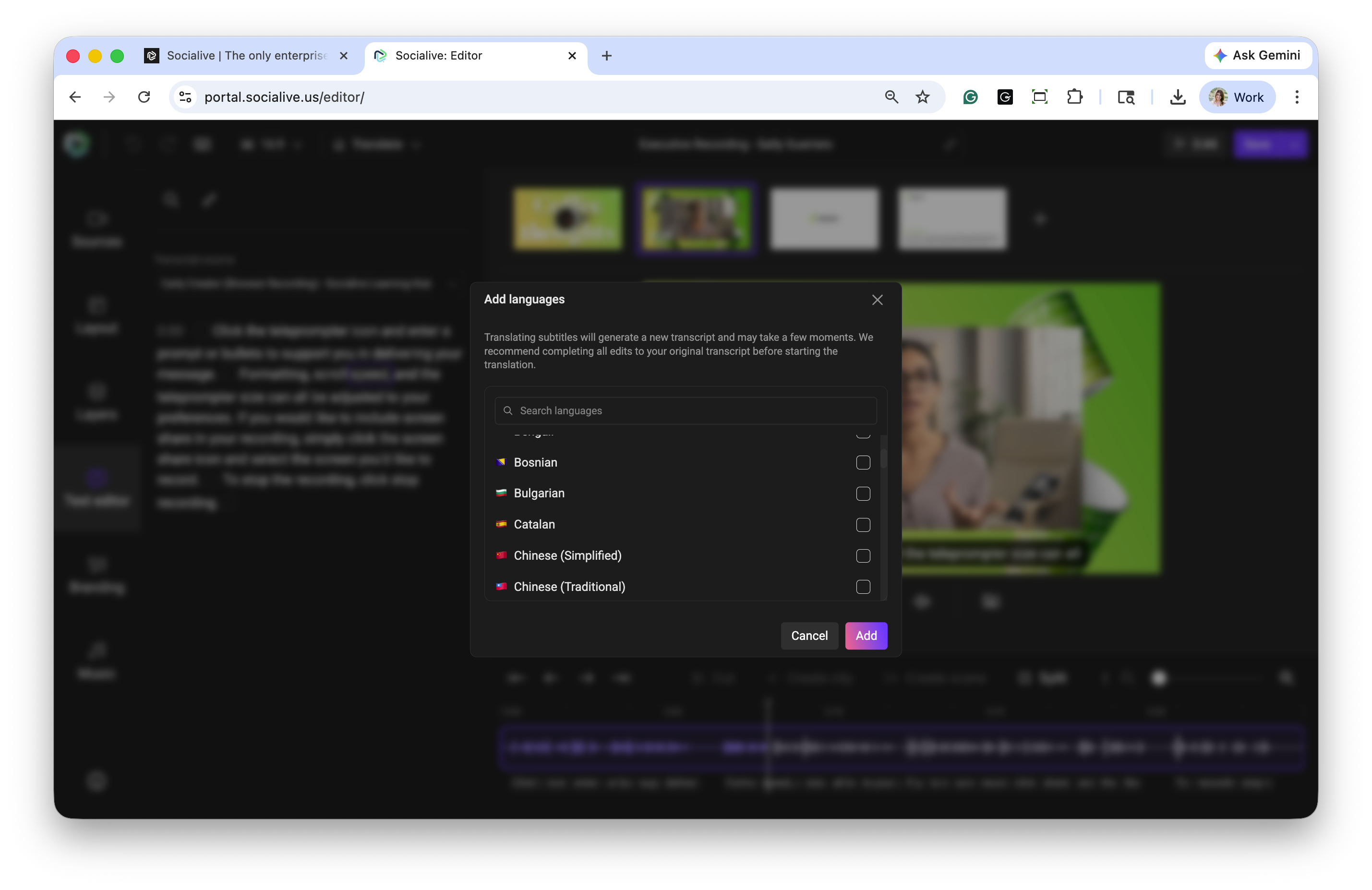
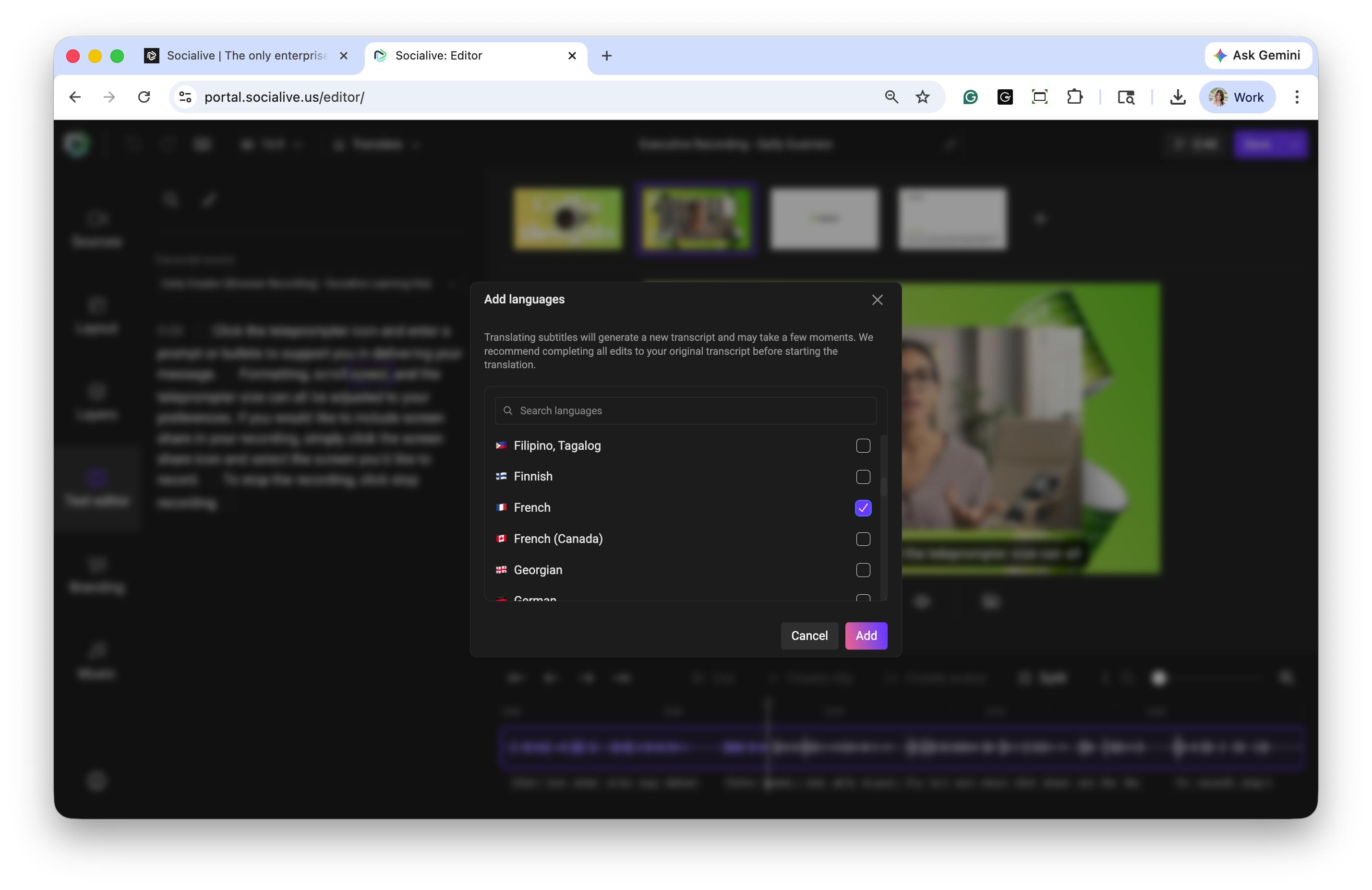
Select the language into which the subtitles will be translated. Multiple languages can be selected and click Add.
If subtitles are off, you will be prompted to enable subtitles.
Translations can be viewed in the Text Editor.
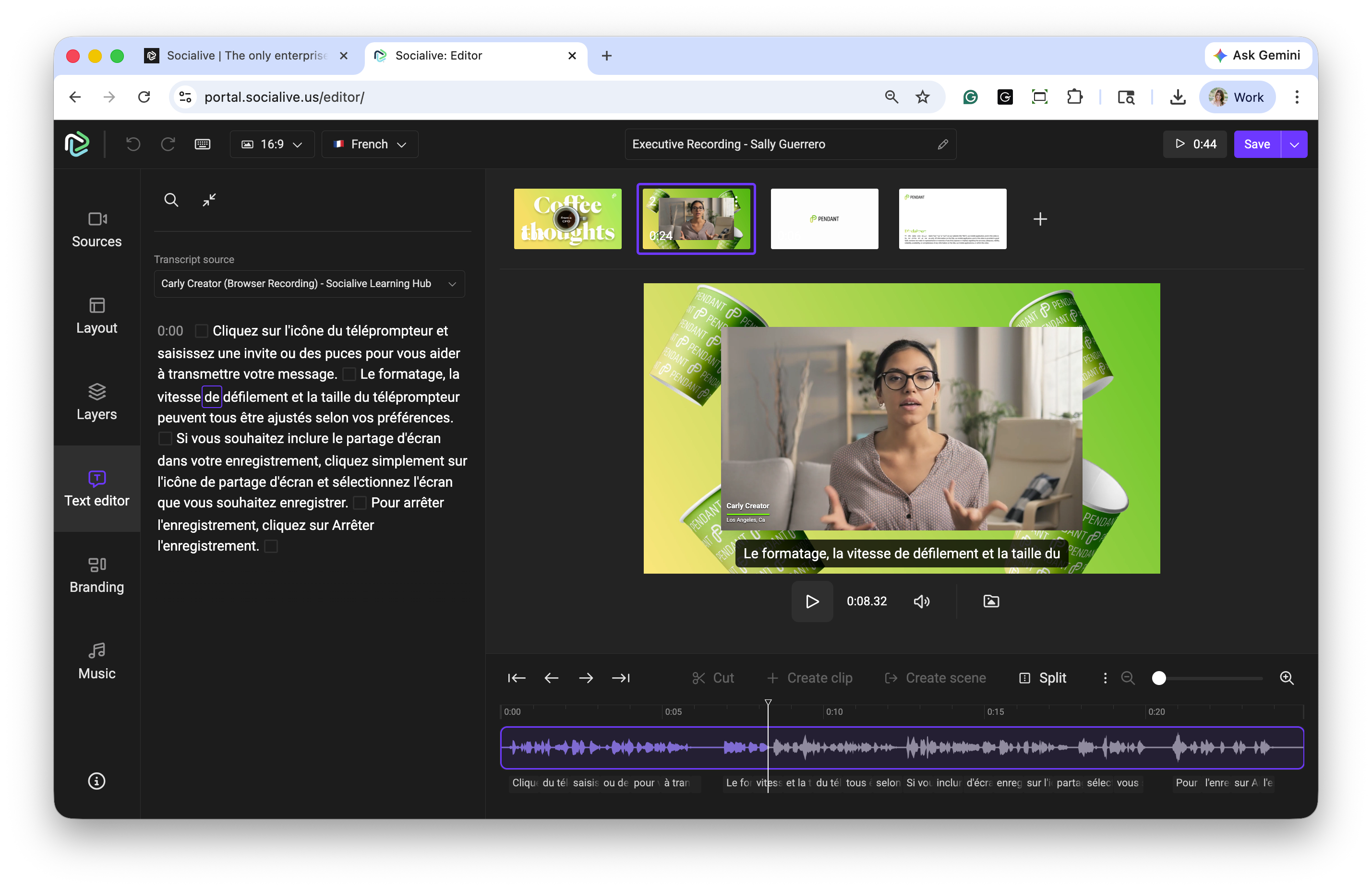
To toggle between the languages, click the translation dropdown at the top of the Editor. Here, subtitles can be translated into additional languages.
Availability
The Translations feature is available as an add-on to the Socialive platform. If you're interested in enabling Translations for your organization, please contact your Account Manager for more information.
Still, looking for an answer?
Contact Socialive Support via live chat, email at support@socialive.us, or submit a support ticket.