
Maintaining natural eye contact is one of the most important ways to build trust and connection in video communication. In virtual recordings or livestreams, it’s common for presenters to appear as though they’re looking away from the audience, reading notes, glancing at another screen, or simply looking at the wrong camera.
With the Eye Contact feature, you can now ensure that your videos feel more polished, engaging, and personal without needing to reshoot or adjust your setup.
Eye Contact works best with a video of a single speaker who is mostly facing the camera. If you are working with a single video with multiple speakers, or a speaker who rarely faces the camera, you may choose not to apply this transformation.
As with all the AISuite transformations, the original video is always preserved and it is a simple choice within your workflow to revert to the original if needed.
This article will review the steps to apply eye contact to your videos.
Add a video source to a scene within the Socialive Editor.
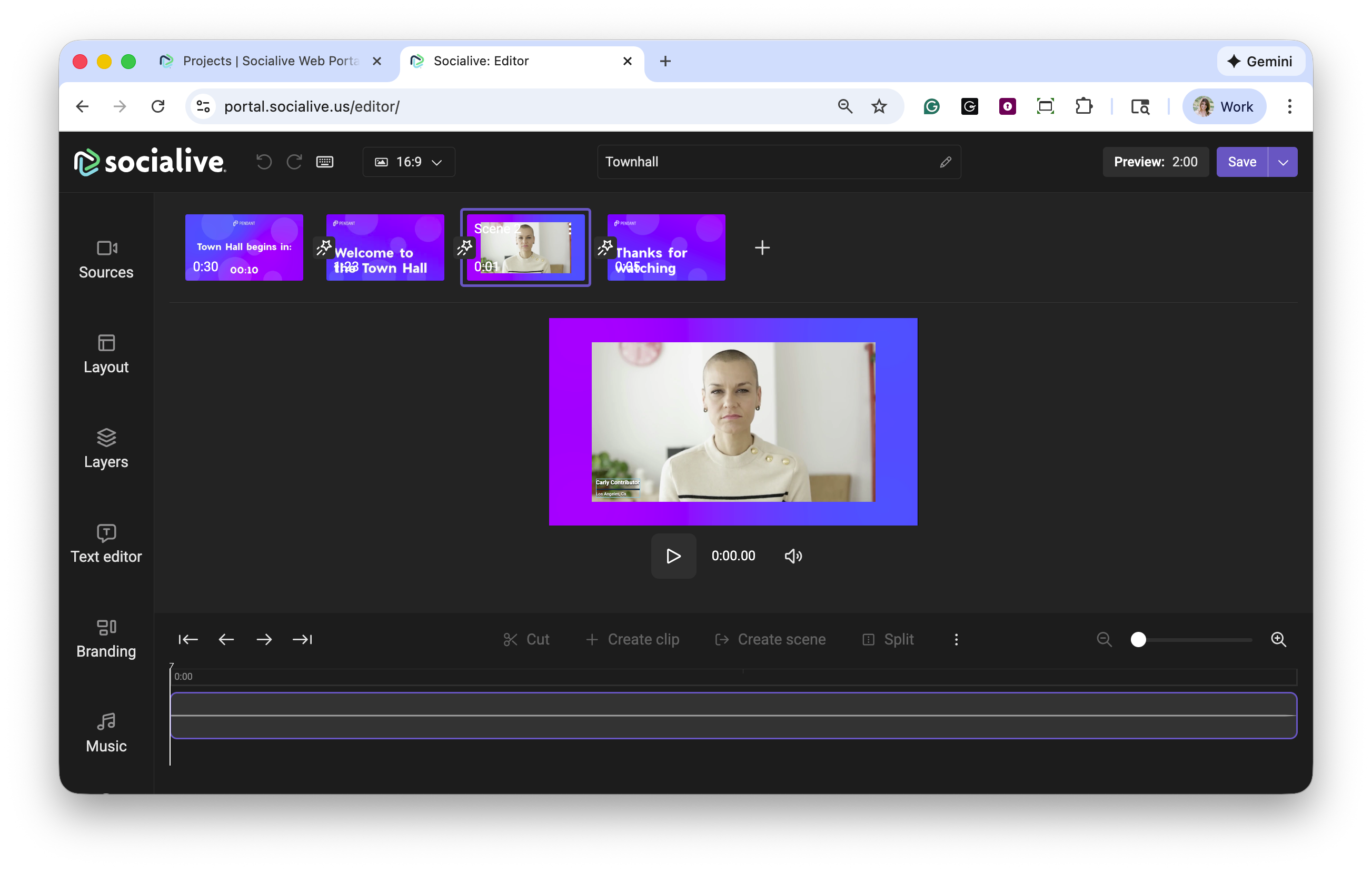
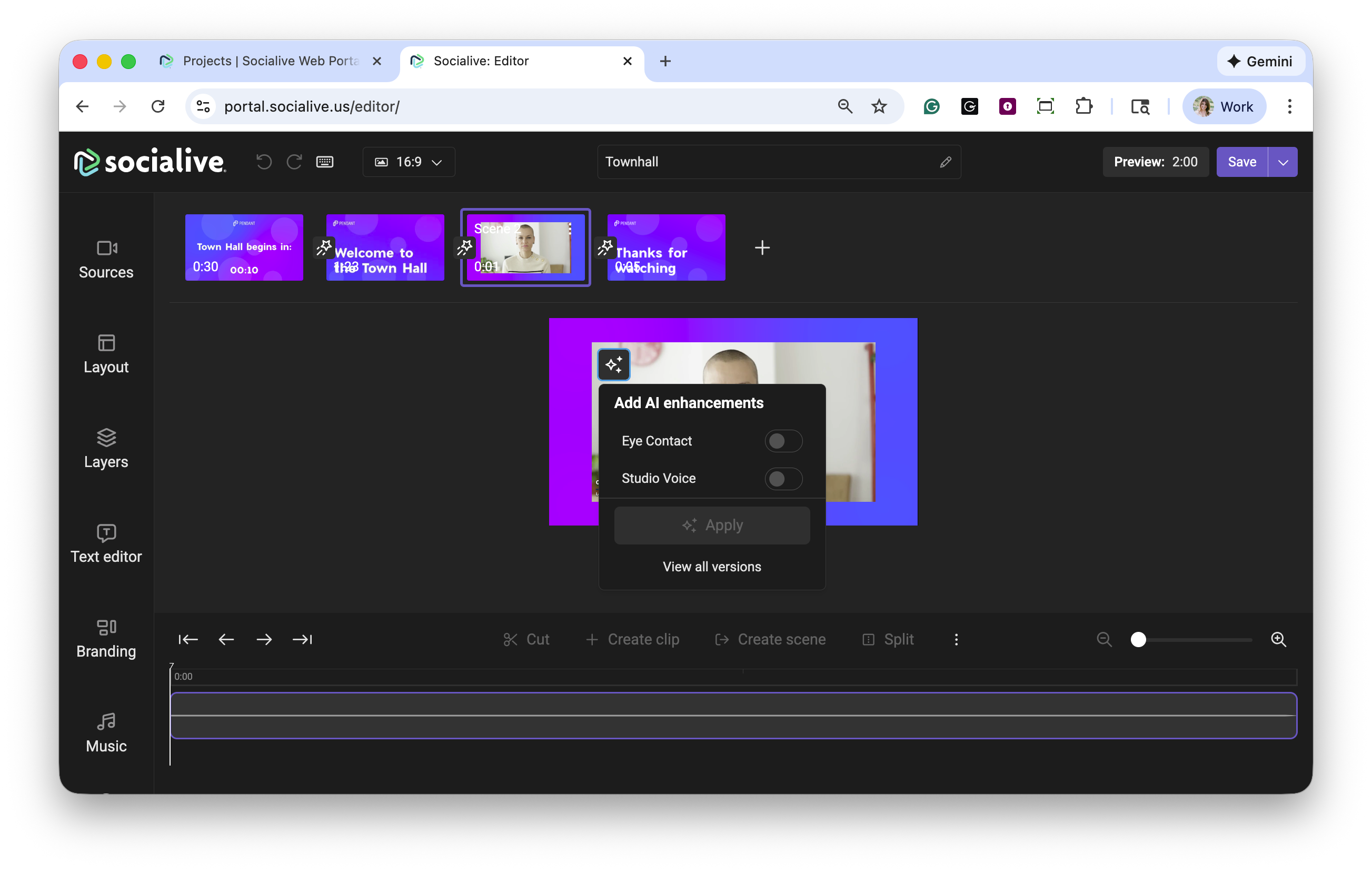
Click the AI icon in the upper left corner of the video source.
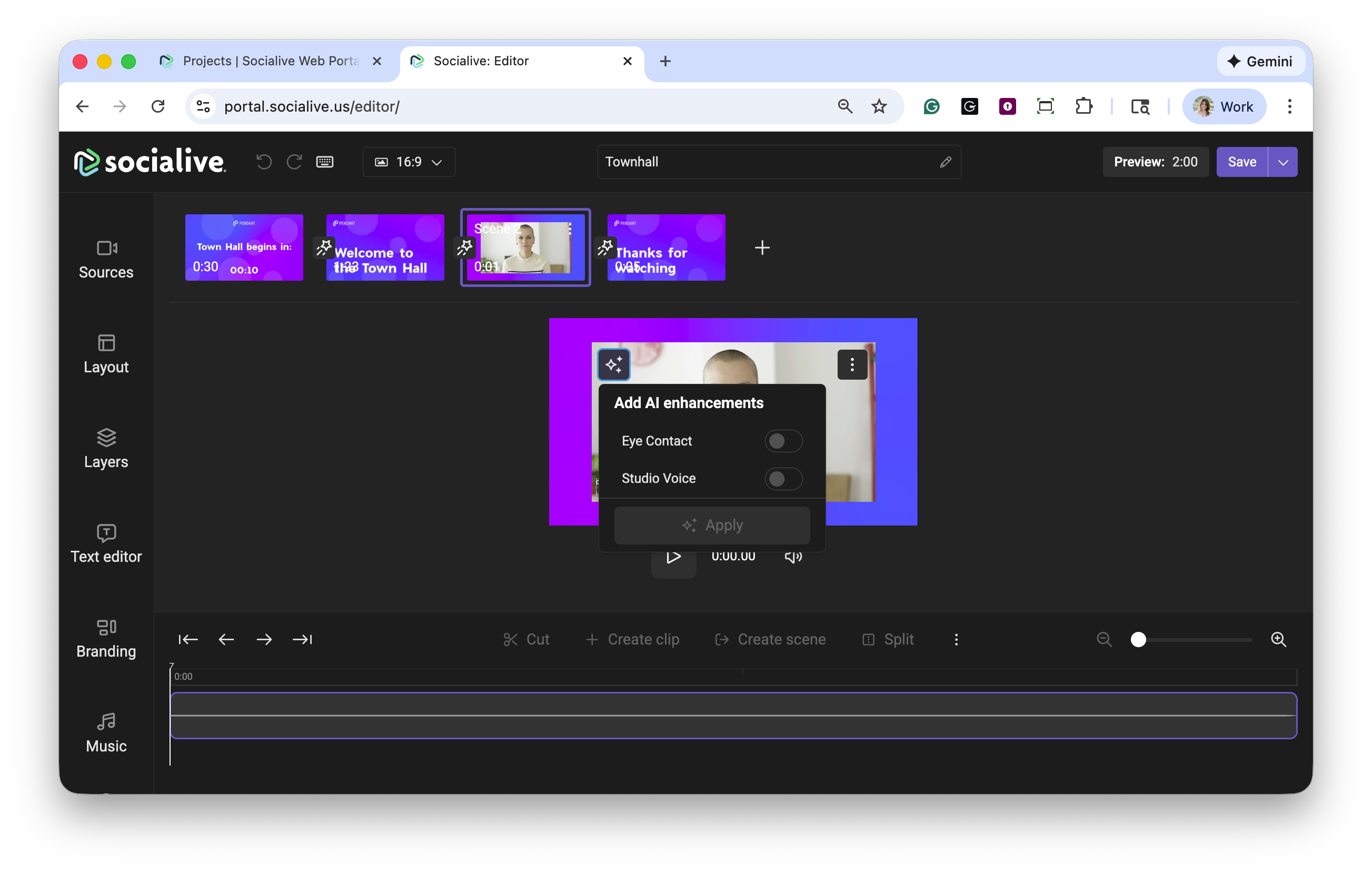
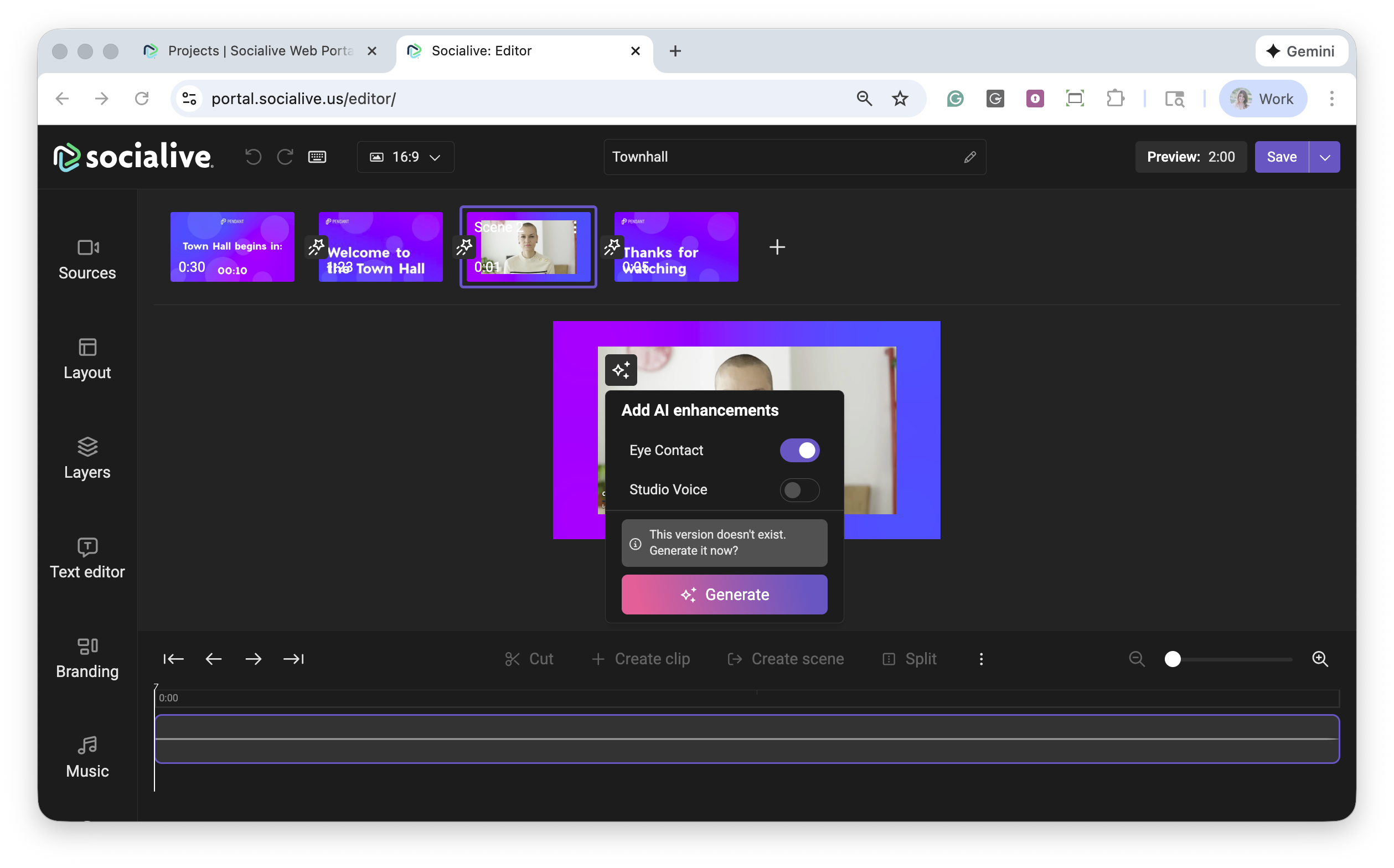
Toggle eye contact and click Generate to apply the feature. Processing times may vary.
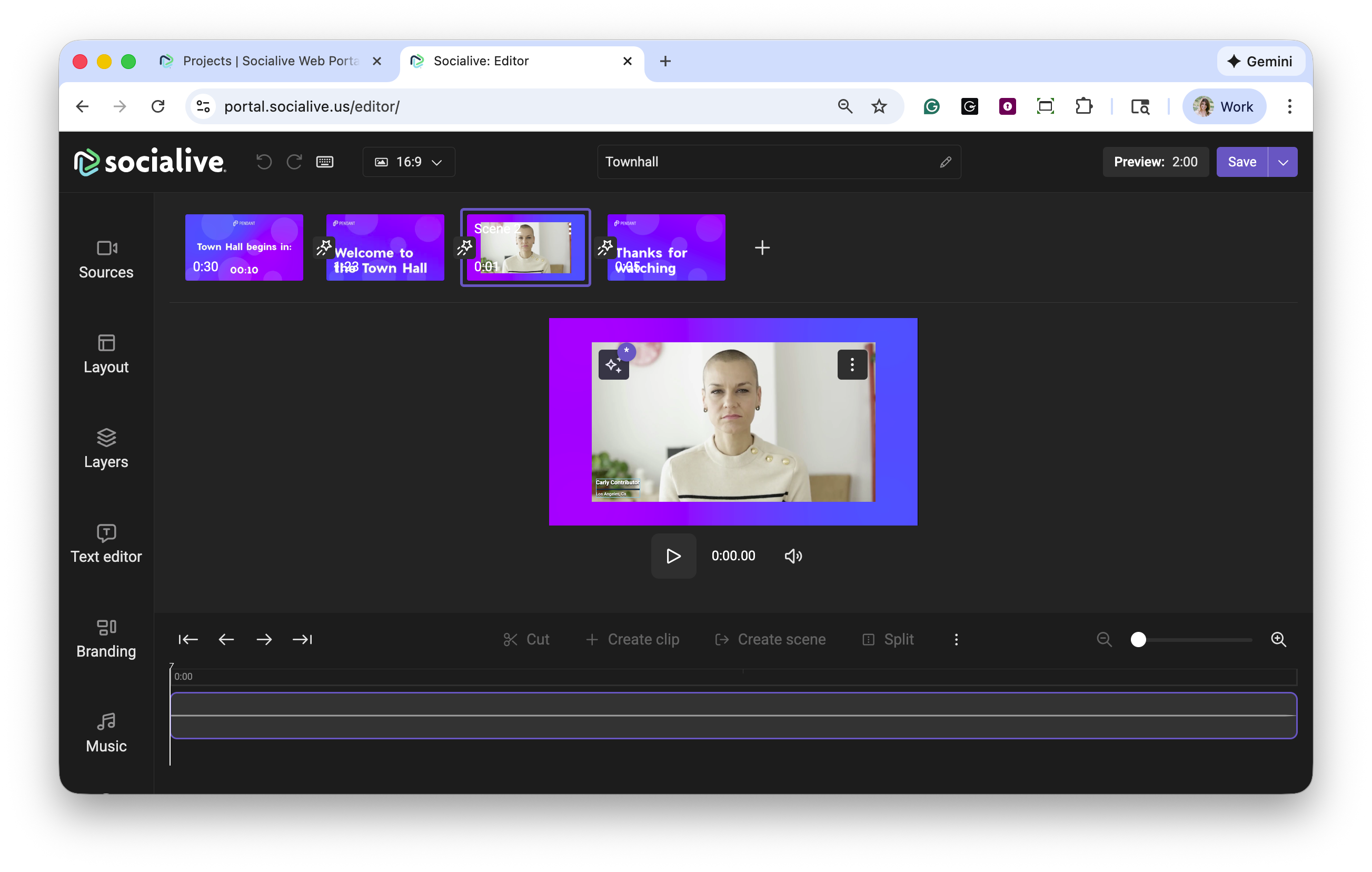
Once eye contact has been applied to the video, the AI icon will display as being in use.
If you need to revert back to the original video without eye contact you can do so by selecting the AI icon. You can also view all versions of the AI enhancements by clicking View all versions.
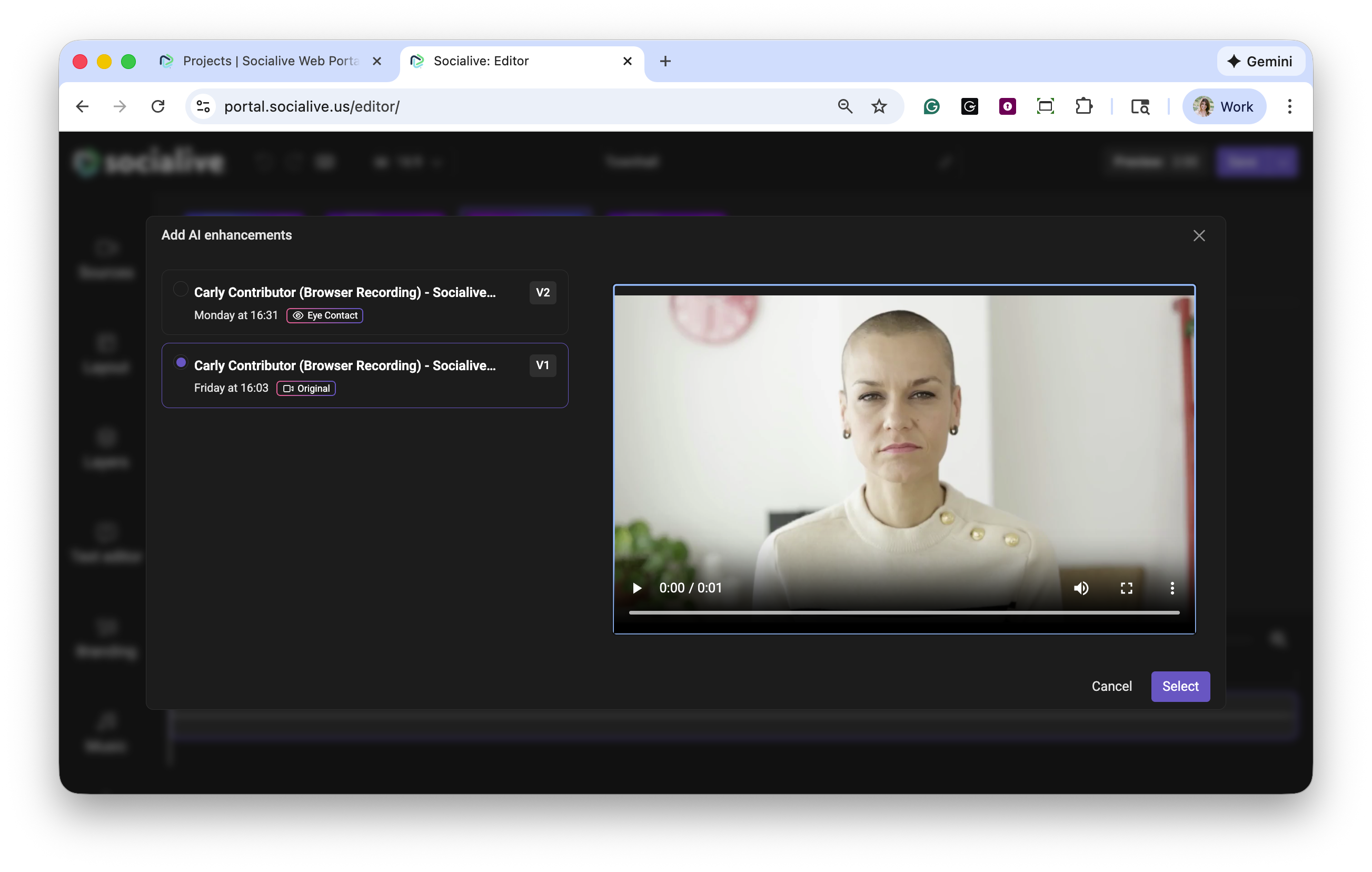
The eye contact transformation is applied to the entire source in step 3. If you only want to use it for a section or key moment of the video, you can use the Socialive Editor’s create scene from clip feature to divide the video into segments, and choose to use the transformed version or the original for each segment. No additional processing time is required, and the final video export will be seamless
Additional AI features can be added to the video using the same steps or completed simultaneously.
Benefits of eye contact
Boost credibility and connection - Strong eye contact keeps viewers focused and engaged.
Save production time - No need to redo takes.
Deliver consistency - Whether presenting live or on demand, your message always feels direct and personal.
Eye Contact is just one of the many tools available in the AISuite, designed to help you transform raw recordings into professional-quality content in minutes. Contact your CSM or Account Manager to discuss how you can have AISuite enabled in your account.
Still, looking for an answer?
Contact Socialive Support via live chat, email at support@socialive.us, or submit a support ticket.